
Advanced Ranked Matchmaking System for Dedicated Server Manager
Advanced Ranked Matchmaking System is an extension for the Advanced Dedicated Server Manager plugin.
From $59.99 USD
View plugin
Options
Services
Downloads
Grouped Items
Bundle Items
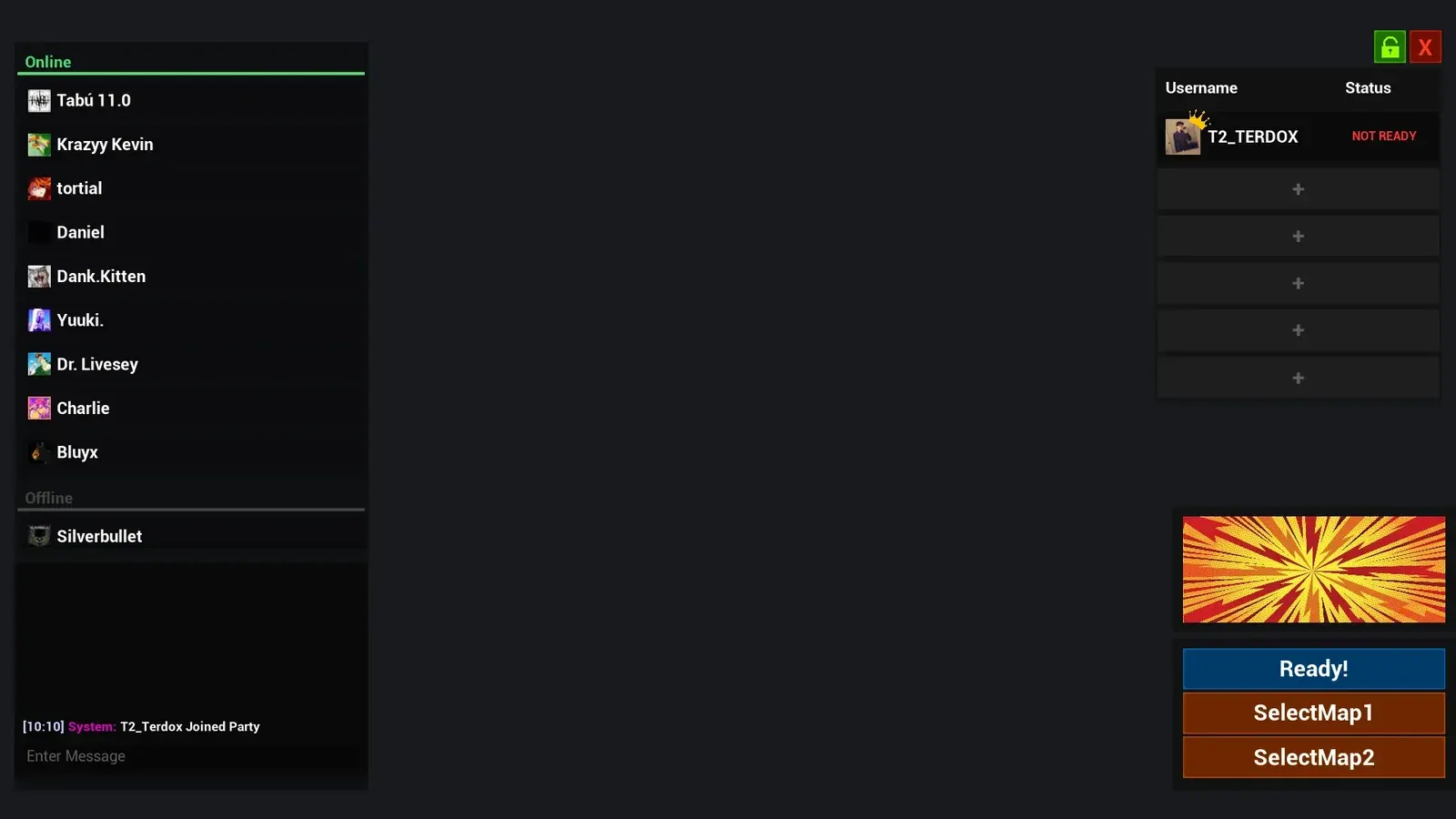
Advanced Steam Party is an Unreal Engine plugin that adds Steam-based party management to multiplayer projects. Party creation, invites and presence are built on Unreal Engine's Steam beacon networking, so players stay grouped through server and level transitions. Built-in voice chat, ready-up and host controls are included.
It is aimed at cooperative and competitive multiplayer games that already ship on Steam and want friends to stay together across sessions without writing their own lobby, invite and reconnection layer.
DefaultEngine.ini.bHasVoiceEnabled=true and [Voice] bEnabled=true).Installation steps, INI reference and API notes for every extension are published in the developer documentation.
Read the docsQuestions about compatibility, licensing or your account are answered directly by the team.
Contact supportGet build help and release announcements from other Unreal Engine developers.
Join the Discord
Advanced Ranked Matchmaking System is an extension for the Advanced Dedicated Server Manager plugin.
From $59.99 USD
View plugin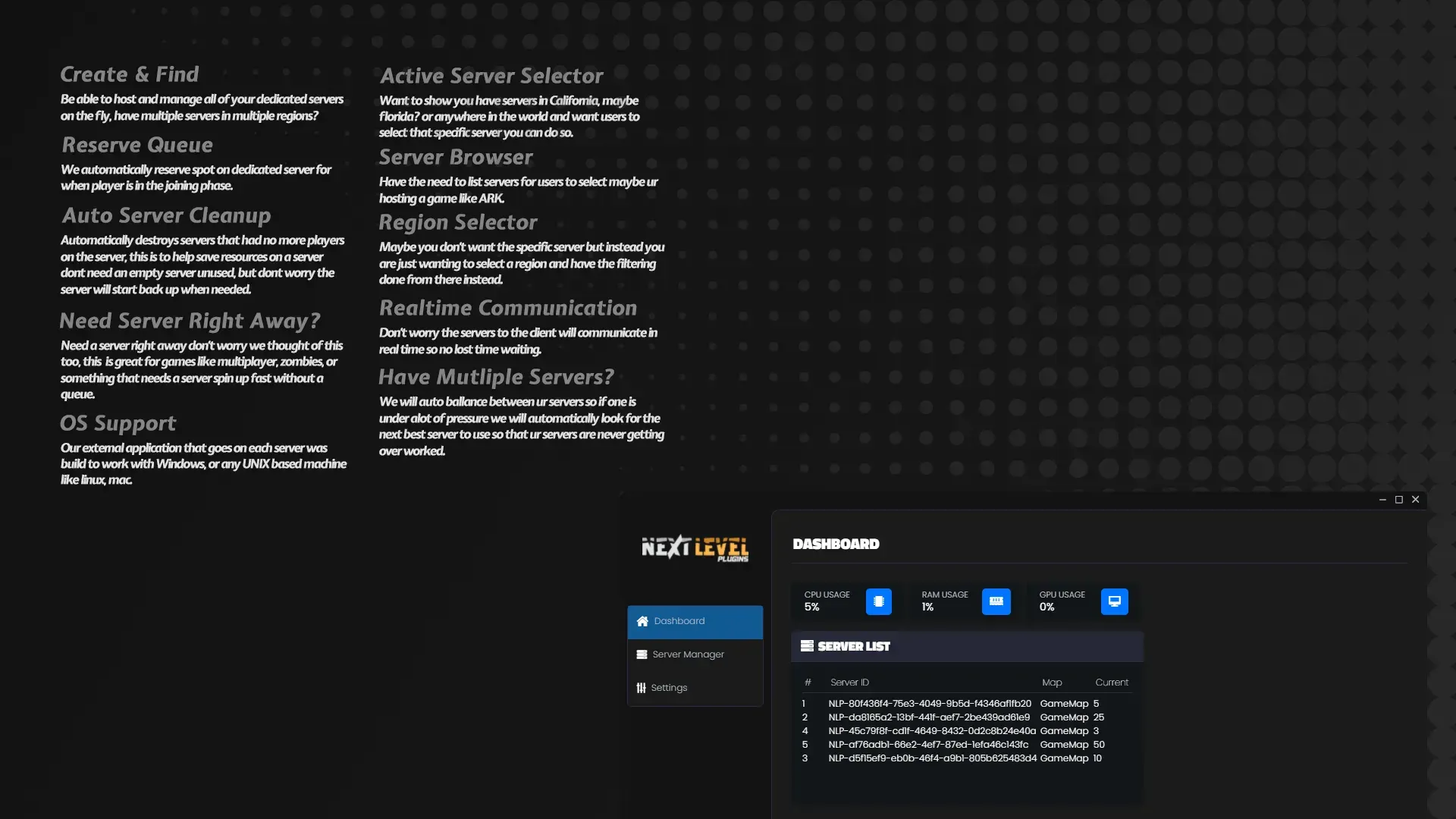
Advanced Dedicated Server Manager is an Unreal Engine plugin and companion server application for hosting, allocating and monitoring dedicated game servers.
From $99.99 USD
View plugin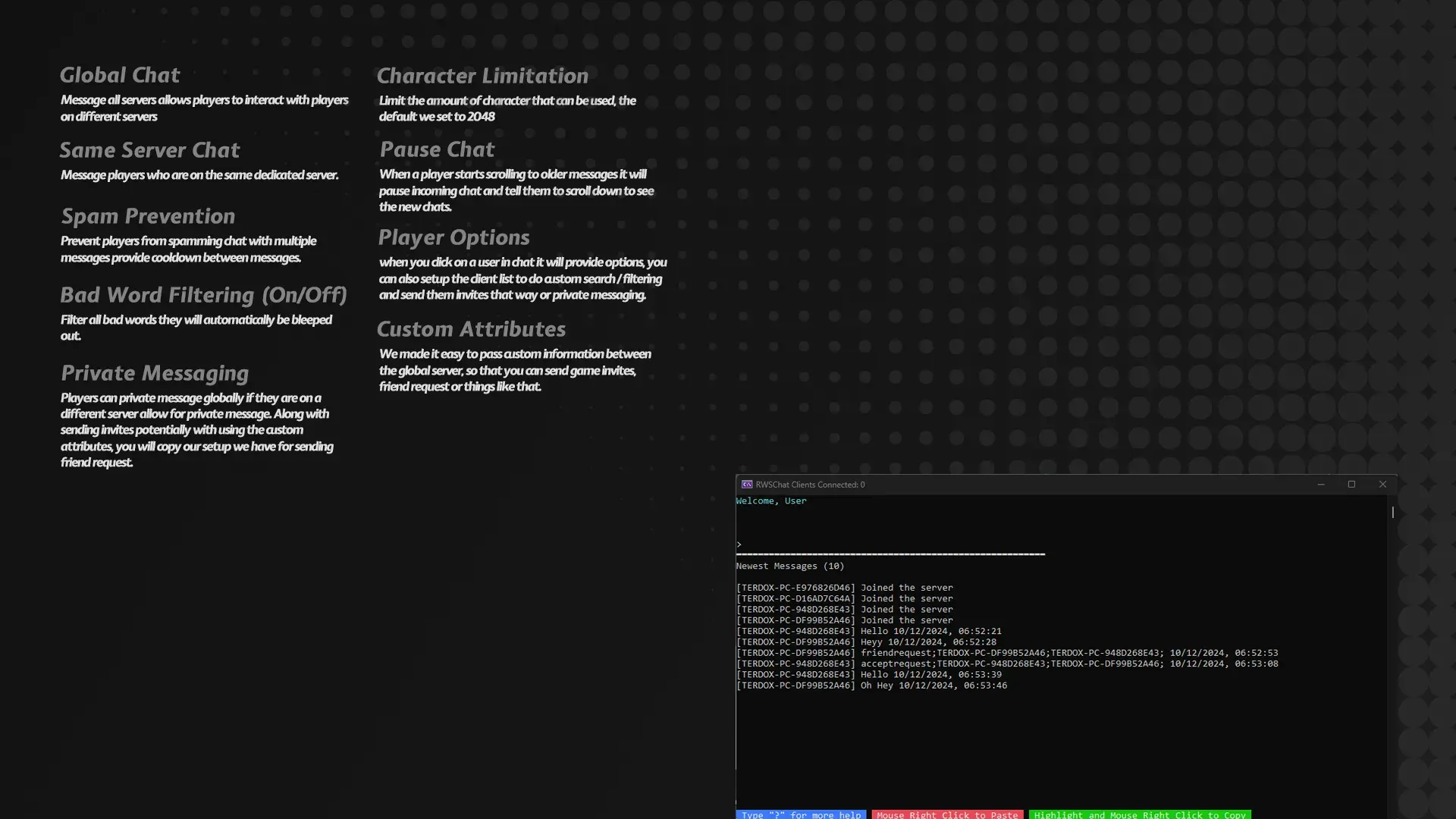
Advanced Multiplayer Chat System adds a complete in-game text chat layer to Unreal Engine dedicated-server projects.
From $5.99 USD
View plugin